
Download CD Burn Pro – Fast, Free & Secure Music CD Burning Tool
CD Burn Pro is a lightweight, free application designed to make music CD creation effortless for Windows users. Whether you are an audiophile who wants a flawless 44.1 kHz/16‑bit audio disc or a casual listener looking to back up a playlist, CD Burn Pro delivers a clean interface, high‑speed burning, and broad format support. The developer updates the program regularly, fixing bugs and adding minor enhancements to keep the experience smooth. In this review we’ll explore the core features, walk through the installation process, check system compatibility, weigh the pros and cons, and answer the most common questions. By the end you’ll know exactly why CD Burn Pro is a solid choice for anyone who needs to burn music CDs quickly, securely, and without a steep learning curve.
Key Features & Performance
- Simple two‑step workflow: select tracks, click “Burn”.
- Supports MP3, WAV, FLAC, AAC, OGG and other popular audio formats.
- High‑speed burning with error‑correction for reliable discs.
- Auto‑detects optimal buffer size based on drive capabilities.
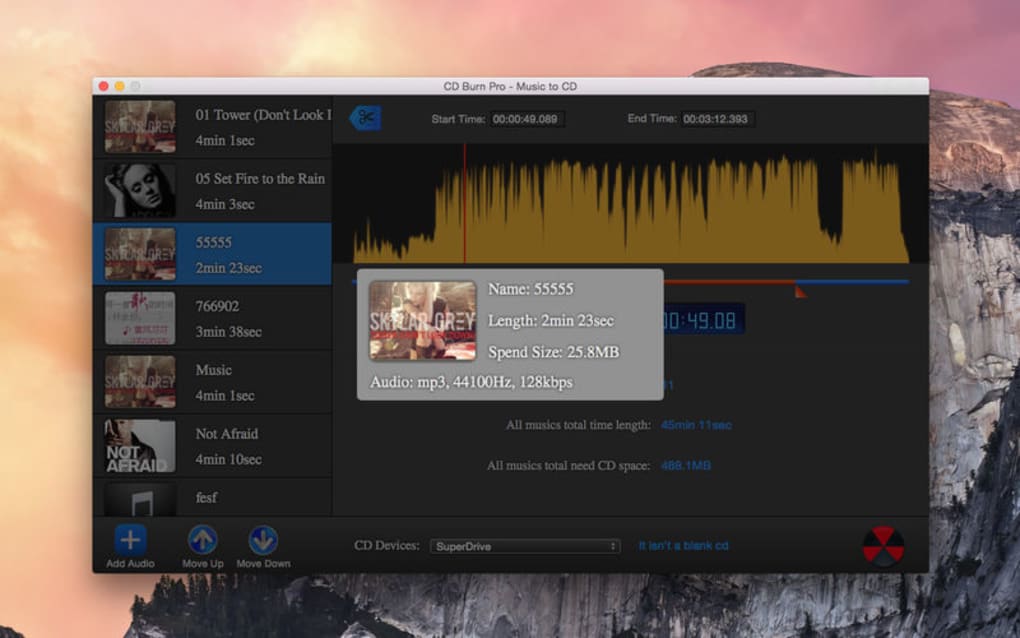
- Real‑time preview of track order, gaps, and CD‑Text metadata.
- Regular automatic updates to address bugs and improve stability.
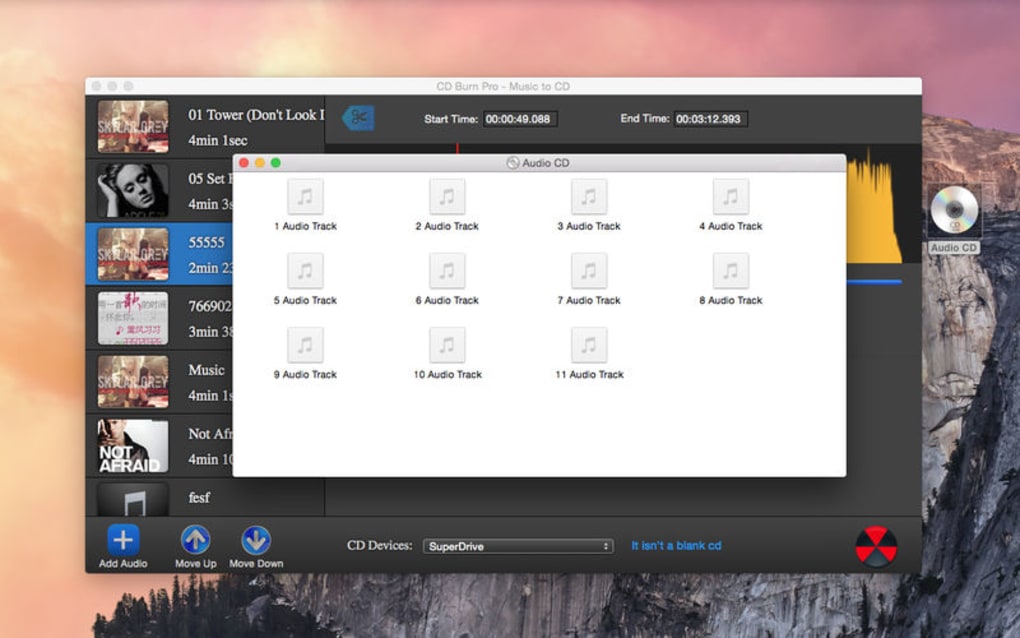
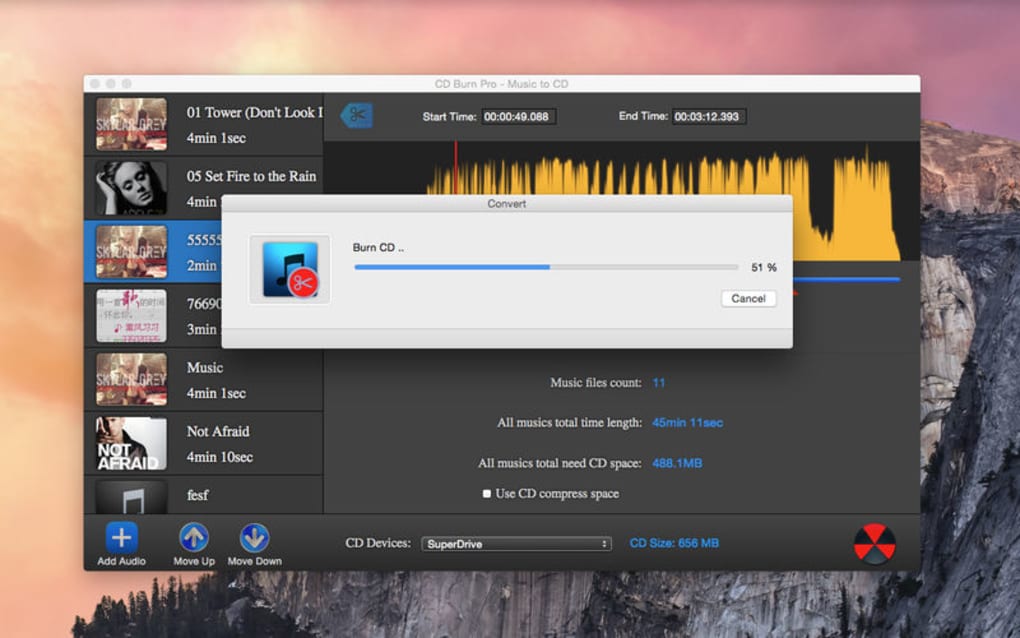
The hallmark of CD Burn Pro is its minimalistic design. The main window shows only the essential controls: a drag‑and‑drop area for audio files, a track list with duration, and a prominent “Burn” button. Because the UI eliminates unnecessary options, even users with limited technical knowledge can create a high‑quality audio CD in under five minutes.
Performance-wise, the application leverages the operating system’s native CD‑ROM driver stack, which means it can push data to the disc at the maximum rate the hardware allows. On a typical 8× DVD‑writer, a full 80‑minute CD is completed in roughly 7‑8 minutes, with a verification step that ensures the data matches the source files. The built‑in error‑correction algorithm reduces the risk of read‑errors when the disc is played on older CD players.
For audiophiles, CD Burn Pro preserves the original audio fidelity by writing tracks in the exact format they were imported—no unnecessary transcoding takes place unless you deliberately convert a file. The CD‑Text support also allows you to embed track titles, artist names, and album information, which is displayed on most modern CD players.
Installation & System Compatibility
Step‑by‑Step Installation
- Download the latest CD Burn Pro installer from the official website (the file is a small
.exeunder 10 MB). - Run the installer and follow the wizard: accept the license agreement, choose the destination folder (default is
C:\Program Files\CD Burn Pro), and click “Install”. - When the installation finishes, you may be prompted to restart your computer to ensure the CD‑ROM driver integration is applied. A restart is recommended but not mandatory.
- After reboot, launch CD Burn Pro from the desktop shortcut or the Start menu. The first launch will check for updates automatically and download any patches.
The installer is signed with a valid code‑signing certificate, providing a secure download experience and protecting against tampering. During installation you can opt‑out of optional tool‑bars or third‑party offers; the default configuration keeps the program free of adware.
Operating System Support
CD Burn Pro is built for Windows 10, Windows 11, and also runs on Windows 8.1 with full functionality. The application uses the standard Windows Media Foundation APIs, so no additional codecs are required for the supported audio formats. While the developer has not released a native macOS or Linux version, the program can be run on those platforms via Wine, though performance may vary.
Minimum system requirements are modest: a 1 GHz processor, 512 MB RAM, and at least 50 MB of free disk space for the installation. A DVD‑writer or external USB CD‑R/RW drive is required for burning. The software is fully compatible with both 32‑bit and 64‑bit Windows installations.
For users who need to burn multiple discs in a row, CD Burn Pro includes a “batch mode” that queues several projects and automatically switches to the next one after the previous disc finishes. This feature is especially handy for small record labels or DJs who need to produce copies quickly.
Pros & Cons
Pros
- Intuitive two‑step process eliminates learning curve.
- Broad audio format support without extra plugins.
- High‑speed burning with reliable error correction.
- Free to download and use for personal projects.
- Regular updates keep the app secure and bug‑free.
- Lightweight installer (under 10 MB) and low system footprint.
Cons
- No built‑in project‑saving feature for multi‑session work.
- Lacks advanced audio editing tools (e.g., gapless playback tuning).
- No native macOS, Linux, Android, or iOS versions.
- Limited customization of burn speed beyond “auto”.
- Interface, while clean, is very basic and may feel dated to power users.
FAQ – Frequently Asked Questions
Can I burn both audio CDs and data CDs with CD Burn Pro?
CD Burn Pro is focused on audio CD creation and does not support data CD burning. If you need to create data discs, you should use a dedicated tool like ImgBurn or CDBurnerXP.
Is CD Burn Pro completely free, or are there hidden costs?
The application is free for personal use. There are no hidden fees, and the installer does not bundle unwanted software. The developer offers optional donations to support continued development.
Can I edit track order after I start the burn process?
Once the burning process begins, the track order is locked. You can rearrange tracks freely before clicking “Burn”. If you need to make changes mid‑burn, you must cancel and restart the process.
Does CD Burn Pro support CD‑Text metadata?
Yes, CD Burn Pro can embed CD‑Text information such as track titles, artist names, and album details. This data is displayed on compatible CD players.
How do I update CD Burn Pro to the latest version?
The program checks for updates automatically at launch. If an update is available, a prompt appears with a “Download & Install” button. You can also manually download the newest installer from the official website.
Conclusion & Call to Action
CD Burn Pro stands out in a crowded market of disc‑burning utilities because it strips away the excess and delivers exactly what most users need: a fast, reliable, and completely free way to create high‑quality audio CDs. Its straightforward interface, broad format support, and high‑speed burning make it an excellent choice for both casual listeners and serious collectors. While the lack of project‑saving and advanced editing features may disappoint power users, the developer’s commitment to regular updates ensures the tool remains stable and secure.
If you’re looking for a hassle‑free solution to back up your favorite playlists, share mixes with friends, or produce small runs of CDs for events, CD Burn Pro is ready to download and use right now. Click the button below to get the latest version, and start burning your music in minutes.







